 Benny Morgan
 Karla Spencer
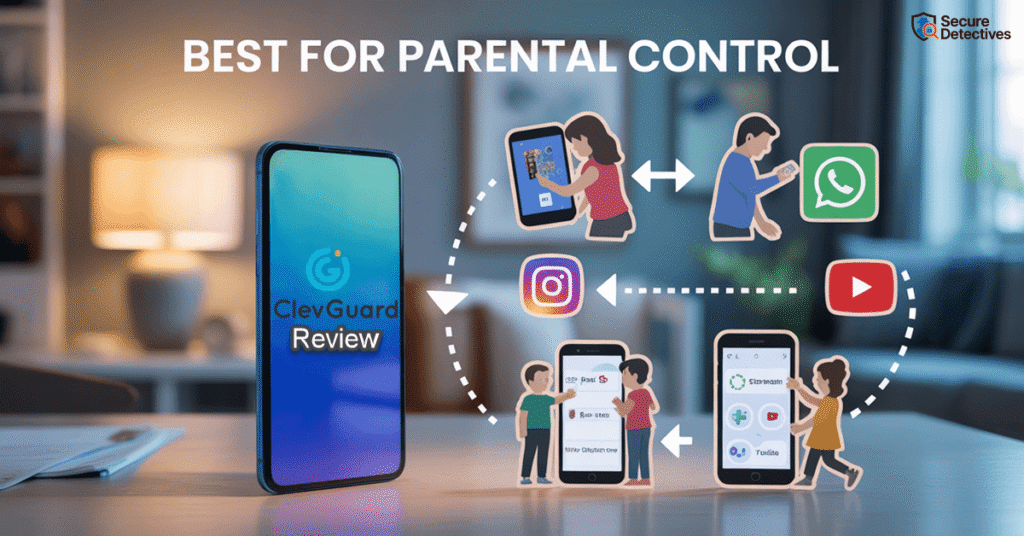
Choosing the right parental control app isn’t easy — in this ClevGuard Review, we cut through the marketing claims to explain what ClevGuard does well, where it falls short, and who it’s actually for.
ClevGuard Review: Quick Overview
ClevGuard is a parental control app designed to give parents visibility into their child’s digital activity, rather than relying solely on content blocking or screen-time restrictions. Unlike tools such as Qustodio or Bark, which emphasize filtering and automated safeguards, ClevGuard focuses on monitoring and behavioral insight. Parents can review app usage, location history, social media activity (on supported platforms), and device behavior through a centralized web dashboard.
ClevGuard works best on Android devices, where monitoring features are more comprehensive. On iOS, functionality is more limited due to Apple’s system restrictions and often relies on cloud-based data syncing. The platform does not actively block websites or apps; instead, it logs activity and leaves decisions to the parent. Pricing is on the higher side, but a 30-day money-back guarantee helps reduce risk.
For parents who want detailed insight and evidence-based conversations, ClevGuard is a strong option. If you’re looking for simple content filters or automatic controls, other parental control apps may be a better fit.
| 👍 Pros | 👎 Cons |
| One of the biggest advantages of using ClevGuard is the depth of monitoring it provides on Android devices. I was able to see detailed app usage, location history, and communication metadata in one place, which gave me a much clearer picture of daily digital habits rather than isolated incidents. | ClevGuard’s experience isn’t the same across platforms. Android users get the most value, while iOS users face noticeable limitations unless they rely on cloud-based syncing. This can be frustrating for parents expecting the same features on an iPhone. |
| The centralized web dashboard is another strong point. Instead of jumping between different reports or apps, everything is aggregated into a single interface that’s easy to navigate. This makes it far more practical for parents who want quick insights without digging through technical logs. | Another drawback is that ClevGuard doesn’t actively block content. It logs app and web activity but leaves the response entirely up to the parent. For families looking for automatic website or app blocking, this may feel like extra work. |
| ClevGuard’s keyword alert system adds an extra layer of protection. Being notified when certain words or phrases appear helps catch potential red flags early—without having to constantly review messages or activity manually. | |
| I also found the geofencing feature genuinely useful. Getting alerts when a device leaves or enters a set area—like school or home—adds peace of mind, especially when routines change unexpectedly. |
What We Consider When Testing Apps
The SafetyDetectives team puts every app through a hands-on, real-world testing process to see how it performs in everyday parenting scenarios. We focus on accuracy, reliability, and user trust so you know exactly what to expect before installing any tool.
- Installation & Setup: How easy it is to install, configure permissions, and get the app running on Android and iOS.
- Feature Performance: Whether monitoring tools (location, chats, media, alerts) work consistently and update in a reasonable timeframe.
- Privacy & Security: How the app handles sensitive data and whether it follows safe, ethical monitoring practices.
- Pricing & Value: Whether the subscription cost matches the quality, reliability, and features offered.
- User Experience: Insights from long-term user reviews to reveal issues or strengths not visible in short-term testing.
Top ClevGuard Alternatives
| Feature / Service | uMobix | mSpy | GEOfinder | Spokeo | Spynger |
| Starting Price | $49.99/month | $48.99 / month | $49.99 / month | $29.95 / month | $1.59 / day |
| Free Trial / Demo | Demo available | Demo available | $1 for a 24-hour trial | $0.95 for a 7-day trial | Demo available |
| Money-back Guarantee | 14 days | 14 days | 14 days | Contact support | 14 days |
| Number of Devices | 1 per license | Up to 3 | Not specified | Not applicable | 1 per license |
| Supported Platforms | Android, iOS | Android, iOS | Android, iOS | Android, iOS, Web | Android, iOS |
| Screen Recorder | ✔️ | ✔️ | ❌ | ❌ | ✔️ |
| Ambient Sound Recorder | ✔️ | ✔️ | ❌ | ❌ | ❌ |
| Parental Control Tools | ✔️ | ✔️ | ❌ | ❌ | ✔️ |
| Keylogger | ✔️ | ✔️ | ❌ | ❌ | ✔️ |
| Call Recording | ✔️ | ✔️ | ❌ | ❌ | ✔️ |
| GPS Tracking | ✔️ | ✔️ | ✔️ | ❌ | ✔️ |
| Social Media Monitoring | ✔️ | ✔️ | ❌ | ✔️ | ✔️ |
| Website Blocker | ✔️ | ✔️ | ❌ | ❌ | ❌ |
| Link | Get Started | Get Started | Get Started | Get Started | Get Started |
What ClevGuard Is — And Exactly What It Isn’t
At its core, ClevGuard is a parental control and mobile monitoring platform designed to give families digital oversight over children’s device use, from app activity and location to social media behavior. But unlike simplistic screen-time limiters, ClevGuard leans toward comprehensive monitoring—not just restrictions. It allows parents to see digital behavior trends, communication logs, location details, and app usage, all through a cloud dashboard.
It markets itself as a solution for child safety—but the feature set and technical capabilities sometimes approach what security researchers classify as surveillance-grade monitoring rather than traditional Family Tracking App. That has both positive and negative implications, which we’ll unpack below.
Who is ClevGuard Best For?
ClevGuard is best suited for parents and guardians who want detailed insight into their child’s digital life rather than just basic controls. If you’re concerned about how apps are being used, where a device goes, or whether risky interactions may be happening online, ClevGuard provides visibility that goes beyond simple screen-time limits. It’s particularly valuable for families using Android devices, where the feature set is most robust, and for parents who are willing to engage actively with the data rather than rely on automatic blocking.
This tool is ideal for:
- Parents of pre-teens and teens navigating social apps and online communication
- Guardians who value evidence-based conversations with their children about digital behavior
- Families looking for location history, app usage trends, and keyword alerts
- Non-technical parents who appreciate a centralized dashboard and responsive support
How ClevGuard Works
ClevGuard follows a structured monitoring workflow designed to balance usability, device security, and data visibility. Here’s exactly how the system works in real-world use.
Step 1: Account Registration
The setup process begins with creating a parent account on the official ClevGuard website. This account functions as the central control panel where parents can manage monitored devices, configure monitoring preferences, and review collected activity data. Once registered, the account can be accessed securely from any web browser, making it easy to check reports without needing physical access to the child’s device.
Step 2: Device Installation
The installation process depends on the target device’s operating system.
- Android devices
Parents install a dedicated app (APK) on the child’s phone. This allows ClevGuard to access system-level data such as app usage, device activity, and location—within the permissions granted. - iOS devices
Due to Apple’s security architecture, monitoring is more limited. In most cases, ClevGuard relies on cloud-based access via iCloud credentials, which means some data is synced rather than collected directly from the device.
Step 3: Permission and Consent Setup
Once installation is complete, parents are required to configure permissions that define the scope of monitoring. ClevGuard does not automatically access all data; instead, it only collects information that has been explicitly authorized. These permissions may include access to location services, app usage data, notifications, and media files, depending on the device.
Step 4: Background Data Collection and Syncing
After permissions are granted, ClevGuard begins collecting approved data in the background without interfering with normal device use. The system gathers information such as app usage patterns, web activity, GPS location history, geofencing alerts, messaging and social media metadata, typed keywords, and media file details where supported.
Step 5: Dashboard Access and Monitoring
Parents access all collected information through a centralized, web-based dashboard. The dashboard presents activity timelines, usage summaries, and location reports in a structured format that makes it easier to identify patterns or potential safety concerns. From here, parents can review insights, adjust monitoring settings, and decide when and how to intervene. Rather than relying on automatic enforcement alone, ClevGuard’s dashboard is designed to support informed, context-driven parenting decisions.
ClevGuard Features
📍 Location Tracking & Geo-fencing
ClevGuard’s location tracking feature allows parents to view a device’s real-time position as well as historical movement data over time. This includes timestamps, routes taken, and duration spent at specific locations. Parents can also configure geo-fencing, which triggers alerts when a device enters or exits predefined zones such as home, school, or extracurricular locations.
From a cybersecurity and systems perspective, this feature relies on periodic GPS pings combined with network-based location data. While frequent updates improve accuracy, they also increase battery consumption and may introduce inconsistencies in areas with poor signal strength, such as underground transit, dense urban environments, or rural zones.
📊 App & Web Activity Monitoring
ClevGuard logs which apps are used, how often, and for how long, along with records of visited websites where supported. This gives parents a behavioral overview of how a device is actually being used rather than how it is supposed to be used.
However, it’s important to be precise here: ClevGuard does not offer granular, real-time content blocking or filtering in the way some traditional parental control apps do. It observes and records activity rather than actively preventing access to specific sites or categories.
📗 Social Media & Messaging Logs
One of ClevGuard’s stronger capabilities is monitoring activity across supported social media and messaging platforms. Depending on the app and device type, this can include usage frequency, timestamps, contact metadata, and keyword detection.
Compared to basic parental control tools, this level of insight is significantly deeper. It helps parents spot early indicators of cyberbullying, risky conversations, or sudden behavioral changes reflected in digital communication habits.
That said, this is not real-time supervision. Data is logged and synced periodically, meaning parents see records, not live conversations. From a security standpoint, this reduces system strain and avoids constant interception but also means critical events may only be visible after the fact.
📷 Screenshots & Remote Screen Capture
ClevGuard allows parents, in certain configurations, to capture screenshots or screen recordings remotely. This is among the most powerful—and sensitive—features in the platform. It provides direct visual context around app usage, content exposure, or on-screen interactions that text logs alone can’t explain.
From an investigative standpoint, screenshots can clarify ambiguous data and prevent misinterpretation. However, from a privacy and legal perspective, this capability must be handled with extreme care. Capturing screens can expose private conversations, personal images, or unrelated third-party data.
🗝️ Keylogger
The keylogger records typed text on supported Android devices, including search queries and keystrokes. In cybersecurity contexts, keylogging is typically associated with enterprise security audits, malware research, or insider-threat detection—not consumer parental tools.
Its presence here provides insight into intent—what a child is actively searching for or attempting to communicate—rather than just outcomes. This can be valuable in high-risk situations, such as concerns about self-harm, predatory contact, or dangerous online behavior.
However, keylogging is inherently invasive. It captures raw input, not filtered summaries, which raises serious privacy considerations.
💰 ClevGuard Pricing & Refund Policy
ClevGuard is positioned as a premium parental monitoring solution, and its pricing reflects the depth of access and monitoring capabilities it offers—particularly on Android devices.
The monthly plan is priced at $49.99 per month, which is best suited for parents who want short-term monitoring or need to evaluate the platform before committing long-term.
For families planning to use ClevGuard consistently, the yearly plan offers the best overall value at $11.66 per month, billed annually. This option significantly reduces the long-term cost and is the most practical choice for ongoing digital safety monitoring.
ClevGuard also offers a quarterly plan at $25.33 per month, striking a middle ground for parents who want more than a trial period but aren’t ready for a full annual commitment.
Refund Policy
All plans are backed by a 30-day money-back guarantee, allowing parents to test the software risk-free. If the platform doesn’t meet expectations, a refund can be requested within the first 30 days—an important trust signal in a category where usability can vary by device and setup.
Pricing Summary:
- Monthly: $49.99 / month
- Quarterly: $25.33 / month
- Yearly: $11.66 / month (best value)
- Refund: 30-Day Money-Back Guarantee
ClevGuard Customer Support
ClevGuard offers a well-rounded customer support system designed to help parents at every stage of setup and use. Users can access live chat support for quick assistance, which is especially helpful during installation or troubleshooting. For self-service help, ClevGuard provides detailed guides and FAQs that explain features, permissions, and common issues in clear language.
Parents can also reach the support team via email or the “Contact Us” form for more complex questions. Based on user feedback, response times are generally prompt, and solutions are clearly explained. This combination of real-time help and written resources makes ClevGuard’s support reliable, particularly for non-technical parents managing digital safety tools.
ClevGuard User Reviews
User feedback for ClevGuard is generally positive, with a strong emphasis on customer support quality and responsiveness rather than just features. This is an important distinction in the parental control space, where setup complexity and platform limitations often require real human assistance.
Many parents highlight how quickly support teams respond when issues arise, especially during installation or when syncing data across devices. For non-technical users, this level of support can significantly improve the overall experience.
“This app is beautiful! And the customer service is stupendous! All of my questions were answered immediately.” — Tamika Pernell, Trustpilot
“Great communication! Fixed my issue in about 24 hours! Excellent customer service!” — Kimberly H, Trustpilot
Final Verdict: Is ClevGuard Good?
ClevGuard is a solid parental monitoring solution that earns its place in today’s crowded digital safety landscape—especially for families seeking insight rather than simple restriction. Its strength lies in comprehensive data visibility, a centralized dashboard, and advanced alerting tools that help parents understand digital behavior patterns. For Android users, the depth of monitoring—including app usage, location history, and metadata logs—sets ClevGuard apart from many basic parental control apps.
That said, ClevGuard is not a plug-and-play blocker. It focuses on logging and visibility rather than real-time content blocking, which means parents must actively review data and decide how to respond. The experience also varies significantly between Android and iOS devices, with iPhones receiving a reduced feature set due to platform limitations.
In summary, ClevGuard is recommended for parents who value detailed insight and responsible digital oversight. For those seeking simple content filtering or automatic protection, alternative tools may be more suitable.
ClevGuard FAQs
Is ClevGuard legal to use?
Yes. ClevGuard is legal when used to monitor devices you own or when monitoring your minor children, provided you follow local consent and privacy laws. It should not be used for unauthorized surveillance.
Does ClevGuard work in stealth mode?
ClevGuard can run in the background on supported devices, but ethical and transparent use is strongly recommended—especially with older children and teens.
Does ClevGuard work on iPhone (iOS)?
Yes, but functionality is limited compared to Android. iOS monitoring often relies on iCloud data syncing due to Apple’s security restrictions.
Does ClevGuard require rooting or jailbreaking?
No. ClevGuard does not require rooting on Android or jailbreaking on iOS, which helps maintain device security and stability.
Can ClevGuard be detected on the phone?
Some components may be visible depending on device settings and OS version. Complete invisibility is not guaranteed.
Is ClevGuard easy to use for non-technical parents?
Yes. The dashboard is user-friendly, but understanding and interpreting monitoring data responsibly does require basic familiarity with digital tools.
Does ClevGuard block apps or websites?
No. ClevGuard focuses on monitoring and logging activity rather than actively blocking content. Parents decide how to respond based on insights.
Will ClevGuard drain the battery?
Battery impact is generally minimal, though frequent GPS updates or screen capture features can increase usage slightly.